显示标签为“Internet”的博文。显示所有博文

2012年6月5日星期二

Internet Explorer 10 Tech Improvements

Microsoft is currently working on the next iteration of its Internet Explorer web browser, IE10, which the company aims to ship with the Windows 8 operating system that is said to be released in the fourth quarter of 2012. Internet Explorer 10 at that time will be integrated into the operating system in two different versions, a regular desktop browser and a Metro browser that is limited and minimalistic. The browser furthermore will also be available for the Windows 7 operating system.

With yesterday’s release of the Windows 8 Release Preview came a refresh of the Internet Explorer 10 browser which Microsoft announced on the official Internet Explorer blog.
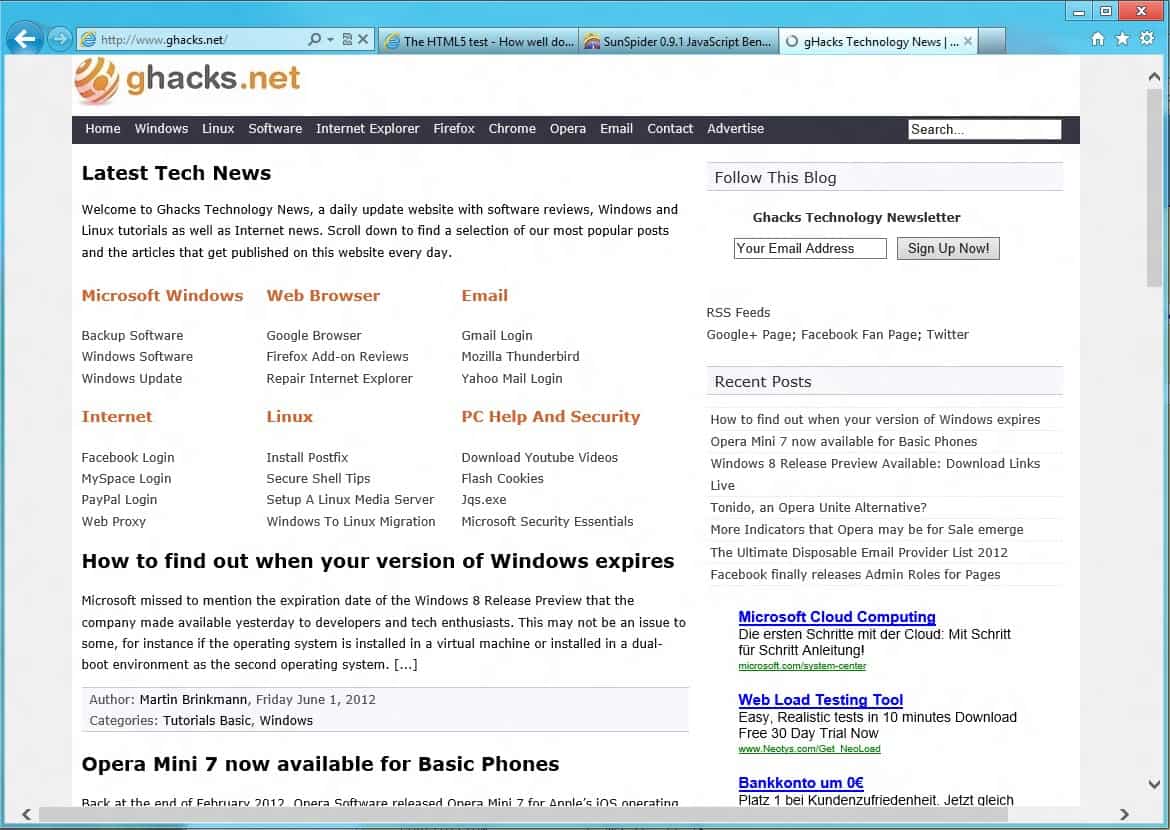
internet explorer 10

The biggest changes in the release are the following:

Do Not Track enabled by default – Sends a do not track header to websites by default to improve privacyNative Flash integration – This is the first release with a native integration of Adobe’s Flash technologyImproved performanceImproved standards support.

Lets take a look at some of the tech improvements / performance improvements in the web browser.

Internet Explorer 10 scores 100/100 in the Acid 3 test

acid3

The browser scores 319 and 6 bonus points in the HTML5 Test. That’s an increase of almost 200 points in comparison to Internet Explorer 9, but still trailing browsers like Google Chrome or Maxthon by about 100 points. Still, a big leap for users of the browser. The score however is only 5 points higher than that of the Internet Explorer 10 Preview 5 version.

internet explorer 10 html5

SunSpider beating Google Chrome. The result of the SunSpider test was surprising, as IE10 managed to run the test in 123ms, while Google Chrome 19 ran the test in 155ms.

sunspider ie10

These benchmarks and tests can be used as indicators that Microsoft has improved the browser, especially when it is compared to previous versions of Internet Explorer 10. I personally would not really look to hard at the numbers, as they are not everything that counts. Internet Explorer 10 does however feel snappier than previous versions of the browser, which is probably the biggest thing that counts in the end.

Have you tried Internet Explorer 10 yet? If so, what is your impression of the browser?

Leaked Internet Explorer 9 Screenshots Show Progress
Internet Explorer 10 Preview 5 Released
Microsoft Pushes Out Second Internet Explorer 10 Preview
Internet Explorer Download
Another Report Finds Internet Explorer 8 To Be The Most Secure Web Browser

Enjoyed the article?: Then sign-up for our free newsletter or RSS feed to kick off your day with the latest technology news and tips, or share the article with your friends and contacts on Facebook, Twitter or Google+ using the icons below.


About the Author:Martin Brinkmann is a journalist from Germany who founded Ghacks Technology News Back in 2005. He is passionate about all things tech and knows the Internet and computers like the back of his hand. You can follow Martin on Facebook or Twitter.Author: , Friday June 1, 2012 -
Tags:,


View the original article here

2012年6月1日星期五

Flash Integrated Natively In Internet Explorer 10?

Many webmasters, web developers and regular users thought that the rise of HTML5 would eliminate the web’s need for Adobe Flash and other proprietary technologies. Even though we have seen some sites make use of HTML5 technologies, Flash is still widely used, often as a fallback for users whose browsers do not support all the HTML5 features required by the site.

We have also seen the native integration of Adobe Flash in Google Chrome, and if recent leaks are anything to go by, Internet Explorer 10 will also have Adobe Flash natively built-in. Internet Explorer 10 is expected to be released with Microsoft’s Windows 8 operating system that will launch in the fourth quarter of 2012.? The operating system will feature two versions of Internet Explorer: first the desktop version that is the successor of Internet Explorer 9, and then a specially designed version for the Metro UI version.

What makes this interesting is the announcement that Internet Explorer 10′s Metro version will ship without plugin support. Up until now this meant all plugins, including Adobe Flash, Java or the company’s own Silverlight. With Flash integrated natively in the browser, Microsoft would stay true to the past announcement, while allowing Metro users access to Flash-based contents at the same time.

internet explorer 10 metro flash image courtesy of Rafael Rivera

A member of the Winunleaked forum spotted Flash Player in the control panel after installation of the operating system, and that both the desktop version and the Metro version were able to make use of it. Windows 8 furthermore blocked the installation of the regular Internet Explorer Flash plugin.

According to Rafael Rivera Microsoft brokered a deal with Adobe to get access to the Flash source code, in a similar fashion that Google managed to do earlier on. It appears that both companies will benefit from the integration. Adobe for one ensures that Flash installations stay on a high level, and Microsoft enables its Metro browser to access Flash contents after all.

It is not really clear yet if users have options to disable native Flash in Windows to improve the security of the system. I guess we have to wait until the release of the Release Preview version that is expected for June 1.

What’s your take on this development? Great move, or another security risk that users have to deal with?

Internet Explorer Gets Flash Cookies Removal
Windows 8 And Internet Explorer 10
Internet Explorer 9 ActiveX Filtering: Fix Flash, Java And Other Plugins
MetroIE, Run Internet Explorer 10 Metro Under Windows 7
Adobe Flash Player Security Update Available

Enjoyed the article?: Then sign-up for our free newsletter or RSS feed to kick off your day with the latest technology news and tips, or share the article with your friends and contacts on Facebook, Twitter or Google+ using the icons below.


About the Author:Martin Brinkmann is a journalist from Germany who founded Ghacks Technology News Back in 2005. He is passionate about all things tech and knows the Internet and computers like the back of his hand. You can follow Martin on Facebook or Twitter.Author: , Thursday May 24, 2012 -
Tags:, ,

You are here: Home ? companies ? Adobe ? Flash Integrated Natively In Internet Explorer 10?

View the original article here

2012年5月31日星期四

Lunascape, A Triple-Engine Internet Browser

When you look at the five major web browsers, that is Internet Explorer, Google Chrome, Firefox, Opera and Safari, you will notice many similarities, and less differences. Don’t get me wrong, there are differences and features unique to some browsers, like Opera’s Turbo feature, or different ways of handling things in the browser.

While it is quite possible for a new browser to succeed in the market by handling some of the things differently, it is the unique features that may make a bigger difference. Maxthon for instance supports two rendering engines, and excels when it comes to the HTML5 test.

Lunascape on the other hand, a browser that has been around for quite some time, ups that by integrating three browser engines into the program. The web browser supports the rendering engines of Internet Explorer, Mozilla Firefox and Google Chrome / Safari.

lunascape

When you first start the browser you may feel that it is a bit on the messy side of things interface wise. It starts with lots of icons in the main header, and even a news ticker that is automatically displaying headlines from sites like the New York Times, CNN or the BBC. When you look closer at the interface, you will notice that the developers have taken inspiration from a couple of browsers. The panel on the left for instance resembles that of the Opera browser, while the header itself looks more like that of the Firefox web browser.

Bookmarks, add-ons and settings can be imported at any time from web browsers like Internet Explorer, Firefox, Opera, and a handful of lesser known browsers like Maxthon or Sleipnir.

import settings

Please note that Firefox imports are only supported for versions 3 or older, and not from newer versions of the browser. The reliance on three engines opens up some interesting options. You can for instance install Firefox add-ons in the browser and use them, provided that you have set it to use the Gecko engine. The add-ons simply become unavailable when you switch to WebKit or Trident instead. Once you switch back, they are available again.

You can customize the interface of the browser, for instance by adding or removing buttons or toolbars in the browser. If you feel the menubar is missing, you can add it right away to have it displayed all the time. Virtually every button or toolbar can be moved or removed from the browser.

The browser handles several actions different from other browsers. It is for instance opening websites that you enter in the browser’s address bar in a new tab automatically, leaving the active page untouched in the process. Another interesting feature are the extensive customizations that it makes available. You can for instance configure mouse actions on tabs extensively in the browser settings.

lunascape settings

The very same options are available for links, and clicks in the browser interface. Other interesting features are:

Automatic and manual profile backupsOptions to switch engines automatically based on the page you are visitingShips with myriads of bookmarklets and scriptsDefine tab behavior extensively, for instance when a new tab should be opened, when to show the tab-title bar, or if you want to display multiple rows automatically when the number of tabs exceed the space.

Check out this video for a short introduction:

Three browser engines may feel like overkill, but it makes sense after all. You have got the IE rendering engine for pages that only display properly in that browser, you got Firefox and Chrome which both provide speed and performance, with Firefox’s Gecko engine even supporting the incredible add-on system of that browser. It is definitely a solid browser with some interesting features that other browsers do not offer (yet). It has a few quirks here and there, but nothing that one can’t get used to after a while of working with the browser. All in all an interesting alternative to the established five.

Opera Downloads Triple After Browser Ballot Screen Goes Live In Europe
Opera Internet Browser Search Edit
QtWeb Internet Browser
Windows XP: Default Internet Browser Per User Profile
How To Add Google Encrypted Search Engine To Firefox, Opera, Chrome And Internet Explorer

Enjoyed the article?: Then sign-up for our free newsletter or RSS feed to kick off your day with the latest technology news and tips, or share the article with your friends and contacts on Facebook, Twitter or Google+ using the icons below.


About the Author:Martin Brinkmann is a journalist from Germany who founded Ghacks Technology News Back in 2005. He is passionate about all things tech and knows the Internet and computers like the back of his hand. You can follow Martin on Facebook or Twitter.Author: , Wednesday May 23, 2012 -
Tags:, , ,

You are here: Home ? Browsing ? Lunascape, A Triple-Engine Internet Browser

Click on the following link(s) to read more about Browsing

View the original article here

2012年5月30日星期三

Yahoo Axis Launched, Changes how you Search on the Internet

The basic search concept has not really evolved in the past decade or so. People visit a search engine like Google, Bing or DuckDuckGo, enter? a search term there, and wait for the results listing to be displayed to them. This is usually displayed in a table-like vertical format, with every search engine throwing in some extra features at the top or sides of the results.

The very same process is imitated when you use the browser’s search bar instead, with the difference that you do not have to open the search engine’s web page manually to use the form there.

Yahoo Axis is a search experiment that tries to redefine web search. It is available for a number of platforms, including Apple’s iOS operating system, but also for the desktop in form of add-ons and plugins for popular browsers such as Firefox, Google Chrome or Internet Explorer.

yahoo axis

In Firefox, Yahoo Axis places a small search bar at the bottom left corner of the screen, right above the browser’s status bar if you have enabled it. When you enter a search term there, you will notice that results are automatically displayed as thumbnails in the lower screen area.

yahoo axis search

You see a list of suggestions on the far left that let you refine the search term, and then the actual search results that you have to scroll horizontally. You can use the mouse wheel for that comfortably, or click on the left and right buttons to scroll to the results instead.

Each result represents a website, which is displayed with a thumbnail screenshot, the title of the page, and part of the url. When you hover over the thumbnail, you will see the full url being displayed in the browser’s lower left corner. A left-click opens the result’s page in the same browser tab, a middle-click in a new tab, at least in Firefox.

When you look at how Axis has been designed, you will probably notice that it is seems optimized for touch. You can flip right through the results on your Apple devices with a flick of the finger, and selections are improved as it is easier to hit a thumbnail link than a standard text link.

For desktop users, the add-on may be a bit on the annoying side of things, considering that it is displayed in the lower left screen corner all the time. I’d expect Yahoo to implement at least an on and off switch for each supported browser to turn it on or off easily. I’d also like to see customization options, for instance to increase the size of the thumbnail area, or even have the add-on display two rows of thumbnail results at once.

Users who log into their Yahoo account get automatic synchronization of history and settings, so that the data is available on all supported devices, so that you can continue your browsing session on another device.

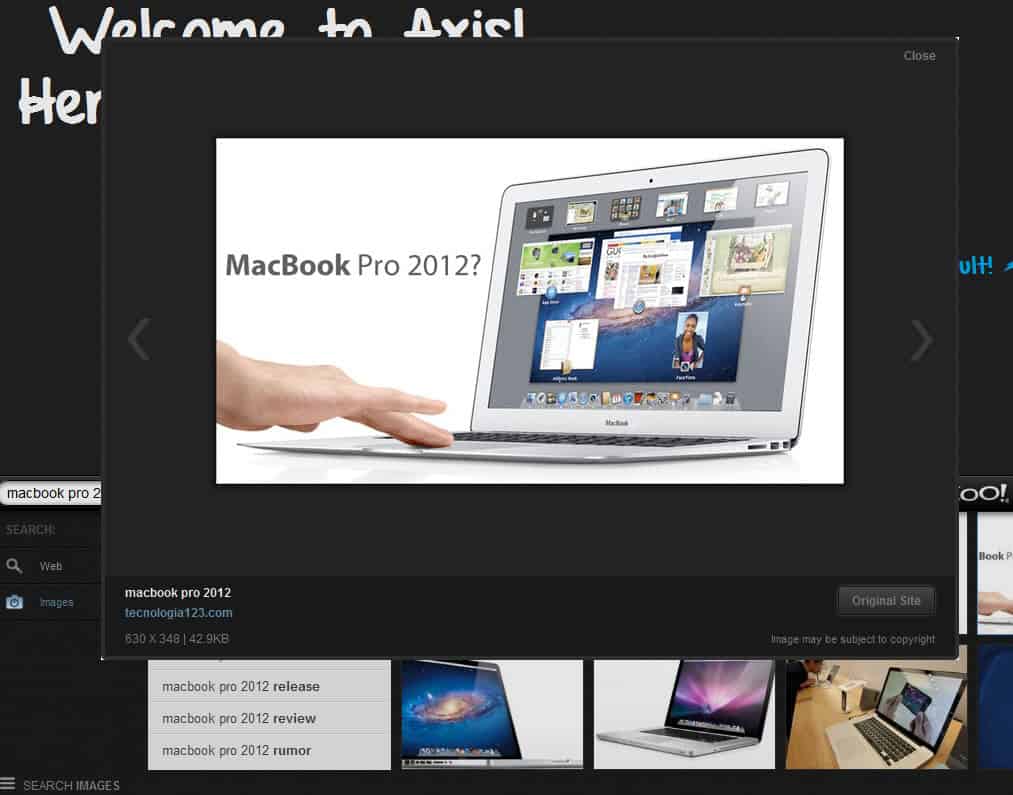
The image search that Axis provides is actually pretty good. You need to click on Search Web in the lower left corner of the screen, and switch to Images there to do that. You will now see two rows of image search results that is scrolling endlessly. That in itself is a nice representation, when you click on an image, it is displayed in an image browser on screen. Once you have the image browser displayed, you can use it as well to go through all the results one by one.axis image searchYahoo Axis is available at Apple’s Appstore, and for desktop browsers at the official Axis website.I personally think it needs some work done to it on the desktop, whereas it might really be a solid alternative for tablets and smartphones, provided that you won’t mind using Yahoo Search for your web searches. According to Yahoo, an Android version is currently in development.Yahoo Search Assist
Yahoo Search Introduces Yahoo! Search Direct
Bing Powered Yahoo Search Transition Begins
Yahoo marks dangerous search results
Yahoo integrating Delicious into search results

Enjoyed the article?: Then sign-up for our free newsletter or RSS feed to kick off your day with the latest technology news and tips, or share the article with your friends and contacts on Facebook, Twitter or Google+ using the icons below.


About the Author:Martin Brinkmann is a journalist from Germany who founded Ghacks Technology News Back in 2005. He is passionate about all things tech and knows the Internet and computers like the back of his hand. You can follow Martin on Facebook or Twitter.Author: , Thursday May 24, 2012 -
Tags:,

You are here: Home ? companies ? Yahoo ? Yahoo Axis Launched, Changes how you Search on the Internet

Click on the following link(s) to read more about Yahoo

View the original article here